TV setup
Can a phone remote control a TV connected by Ethernet?
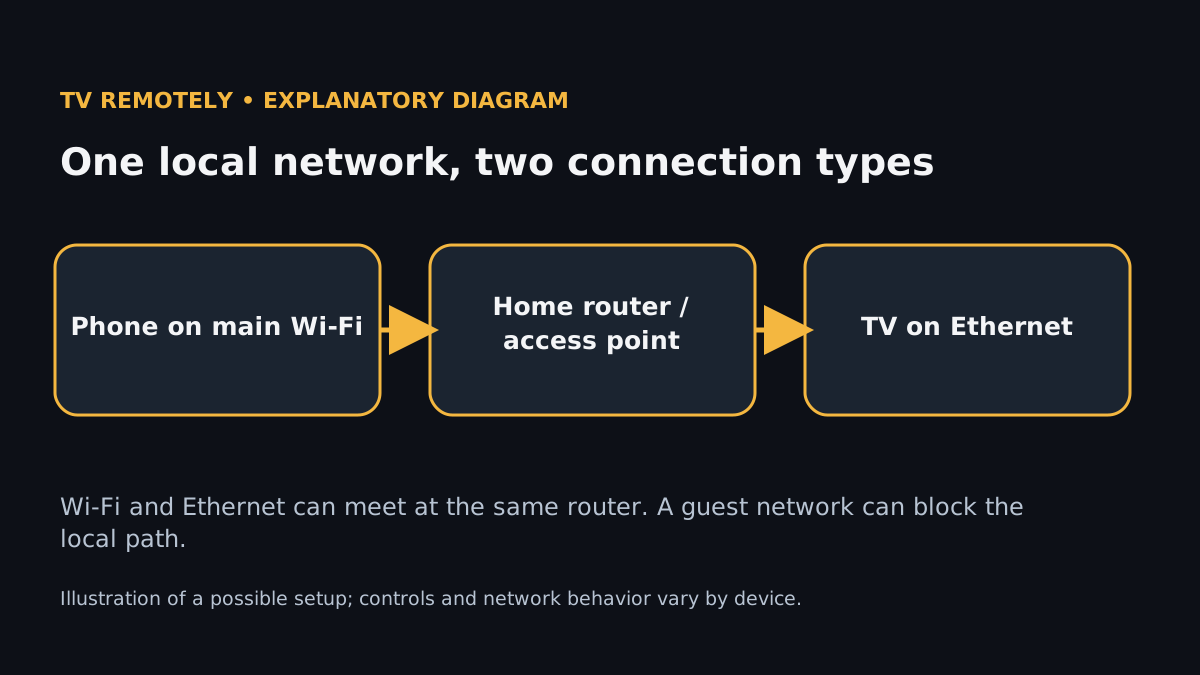
Yes. A phone on Wi-Fi and a TV on an Ethernet cable are normally on the same network, because the router bridges its wired ports and its Wi-Fi into one local network. Most remote apps don’t care how the TV is connected. They care whether the phone can open a connection to the TV’s IP address. When it fails, the cause is almost always a second network in between, not the cable.
By TV Remotely · Updated · Sources and testing policy
The 10-second check: compare the first three numbers
Find the TV’s IP address (Settings → Network, or the connection details page) and the phone’s (iPhone: Settings → Wi-Fi → ⓘ next to your network; Android: tap your connected network → Network details or Advanced). Now compare the first three groups.
- TV 192.168.1.42, phone 192.168.1.77: same network. Discovery should work; look at app permissions and TV approval instead.
- TV 192.168.1.42, phone 192.168.0.15: different networks. This is the problem, and no remote app can fix it from the phone side.
- Phone 172.20.10.x: it is on a personal hotspot, not your router.
Home setups usually split in three ways. One is a guest network: the phone is on “Home-Guest”, which often isolates clients from the wired side. Another is a second router: an ISP modem-router plus your own router behind it gives two networks, and the phone and TV may be on different ones. The third is an extender or mesh node in router mode, where Wi-Fi clients sit on a different subnet from the main router’s Ethernet ports.
Fix by cause
If the phone is on a guest SSID, switch it to the main network, the one the router’s own Ethernet ports belong to.
The phone’s address now shares the first three groups with the TV.
If the router has no guest/main split, look for “AP isolation” or “client isolation” in its Wi-Fi settings and turn it off for the main network.
If you have two routers, either move the phone to the Wi-Fi of the router the TV is plugged into, or put the second router into access-point (bridge) mode.
Both devices now get addresses from the same DHCP server.
Don’t add port forwards to bridge the gap. Local remotes don’t work that way, and forwarding exposes the TV to the internet.
Turn off any VPN on the phone and retest. On iPhone, check that the VPN doesn’t block local-network traffic; on Android, check Always-on VPN with “Block connections without VPN”.
The TV appears once local traffic is no longer tunnelled.
If it appears with the VPN off, keep it off while using the remote or set the VPN to exclude local networks.
On iPhone, open Settings → Privacy & Security → Local Network and make sure the remote app’s switch is on.
iOS allows the app to discover devices.
If the app isn’t listed, delete and reinstall it so iOS asks for the permission again.
Prove the path from the phone’s browser
Some TVs answer a plain web request, so a phone browser can tell you whether the path exists before you blame an app. Roku answers on port 8060 (open http://TV_IP:8060/query/device-info and you should see XML). Many Samsung Tizen TVs answer on port 8001 (http://TV_IP:8001/api/v2/ returns device JSON). Android TV and Google TV use TCP ports 6466 and 6467 for remote control and pairing; those don’t return a web page, so test them with the manual-IP option in your app instead.
If the browser test works but the app can’t find the TV, discovery (mDNS/SSDP broadcast) is being blocked, and manual IP entry usually gets around it. If the browser test fails too, the phone and TV can’t reach each other at all, and you are back to guest networks, second routers and isolation.
Related guidance
Sources for these instructions
- Google TV: fix problems with the virtual remote — checked 2026-11-02
- Apple: control app access to the local network — checked 2026-11-02
Frequently asked questions
- Does a TV on Ethernet work with a phone remote that normally uses Wi-Fi?
- Yes, provided both are on the same local network. The TV’s connection type doesn’t matter; the network they share does.
- Why does my wired TV show up in the app on Wi-Fi at home but not on a friend’s Wi-Fi?
- Many public and guest networks isolate devices from each other. Test on the main network of the router the TV is plugged into.