Troubleshooting
Roku shows an HDCP error or purple screen? Check the HDMI chain
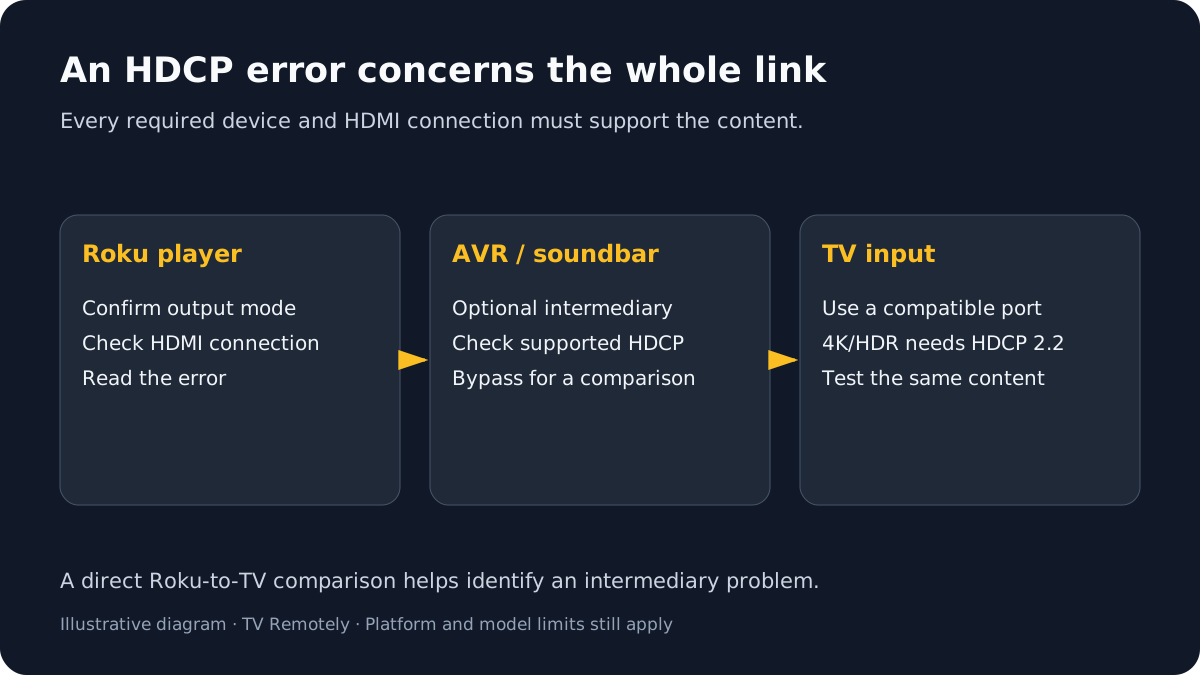
A purple screen with “HDCP Error Detected” points to copy-protection negotiation on the HDMI link. The chain may include a Roku player, HDMI switch or receiver, soundbar, and TV; every required device and link must support the relevant HDCP version.
Published by TV Remotely · Source checked 2026-10-29. Model and firmware behavior can differ; device tests are named only where performed.
Choose the right troubleshooting path
Reseat and isolate the HDMI path
Roku recommends reconnecting HDMI at both ends and power-cycling the Roku and display/audio equipment. If an AVR, soundbar or HDMI switch is in the chain, direct connection to the TV is a useful isolation test.
Disconnect the HDMI cable at both ends, turn off and unplug the TV/receiver/soundbar and Roku player, then reconnect HDMI securely before reconnecting power.
A secure reconnect can restore the HDMI handshake.
If that does not help: Try a different TV HDMI input and a known-good short cable.
Temporarily connect the Roku directly to a TV port, bypassing the AVR, soundbar or switch.
If the error clears, focus on the device or link removed from the chain.
If that does not help: Check the removed device manual for HDCP support before reconnecting it.
If the error appears only for UHD/HDR playback, verify the full HDMI path meets the required HDCP 2.2 support.
Roku documents the newer HDCP requirement for 4K UHD/HDR.
If that does not help: Do not force a 4K mode through a chain that does not support it; test a supported display setting.
Do not confuse HDCP with “No Signal”
“No Signal” usually means the display is not receiving active video on the selected input; an HDCP message means a signal path exists but its content-protection requirement is not being met. Follow the specific message and device chain rather than changing antenna or Wi-Fi settings.
What to do next
Treat Roku’s HDCP message as an HDMI protection-chain issue; bypass receivers and switches to isolate the link.
Sources and verification
- What to do if you see an HDCP Error Detected message or a purple screen — checked 2026-10-29
- Why HDCP 2.2 matters for 4K/HDR — checked 2026-10-29
Frequently asked questions
- Does a Roku purple screen mean the TV is broken?
- Not necessarily. Roku says an HDCP mismatch in the HDMI chain can trigger the purple screen.
- Why does HDCP appear only for 4K or HDR?
- Roku says 4K UHD/HDR playback requires HDCP 2.2 support across the relevant connected devices.