Explainers & comparisons
When should you factory-reset a smart TV?
A factory reset is worth considering only when a problem persists after simpler checks or the TV maker recommends it for your exact model. A reset can erase saved accounts, apps, network setup and preferences. Before starting, confirm you can sign in again, record important settings, and identify whether a narrower option—such as resetting one app or Smart Hub—fits the problem.
Published by TV Remotely · Source checked 2026-10-29. Model and firmware behavior can differ; device tests are named only where performed.
Choose the right troubleshooting path
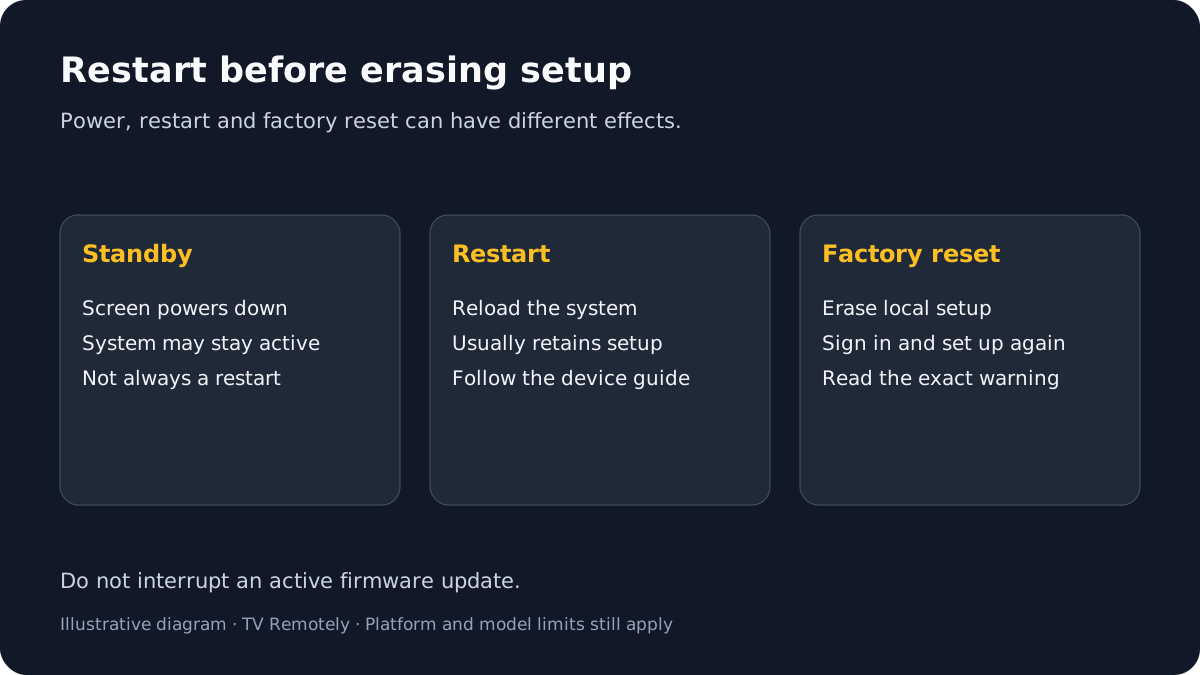
Decide whether a factory reset fits the problem
Match the reset to the failing part. If one app fails, use its documented recovery first. If only Wi-Fi settings are broken, check whether the TV offers a network-only reset. If a shared platform hub fails, the maker may offer a separate hub reset. A full factory reset is broad and can require setting the whole device up again.
Check whether the issue affects one app, one TV feature, or the entire device.
A narrow failure usually calls for a narrow fix.
If that does not help: If the symptom affects multiple systems or the TV will not start, contact the manufacturer for model-specific advice.
Try the manufacturer’s recommended restart, update or diagnostic steps first.
These may resolve a temporary or identifiable issue without erasing setup.
If that does not help: Record which steps you tried and their results; avoid repeating them indefinitely.
Read the exact reset screen and model manual before confirming.
You should know which accounts, apps, network settings and preferences will be removed.
If that does not help: If the warning is unclear, cancel and ask the manufacturer before proceeding.
Prepare before erasing TV setup
Confirm access to the email, passwords and two-factor recovery methods for each account used on the TV.
You can restore streaming and manufacturer accounts after setup.
If that does not help: If you cannot recover an account, resolve that first.
Record Wi-Fi details, picture/audio preferences, parental controls and any custom input setup you need.
This makes setup after the reset less disruptive.
If that does not help: Do not store passwords in an unsecured note or share them with support.
Check whether the TV maker documents a reset that preserves network settings or affects only an app hub.
A narrower reset may be enough for a hub or app problem.
If that does not help: Do not assume two options with similar names erase the same data; read the exact model’s explanation.
Keep the TV powered and do not interrupt an active update or reset process.
The process can take time and may restart the TV.
If that does not help: If the process appears stuck, follow the manufacturer’s stuck-reset advice before unplugging it.
Test the original problem after setup
After the reset, complete initial setup, reconnect to the network and reinstall or reopen the affected app. Test the original problem before changing many settings at once. If the same fault returns, note whether it happened before restoring apps or accounts; that helps the manufacturer distinguish setup, service and device issues.
Restore only the accounts and settings needed for the test.
This keeps the first check simple.
If that does not help: If the fault returns after restoring one app, record that timing and contact its provider.
If the issue persists immediately after setup, contact the TV maker with the model, software version and reset type.
This indicates that a reset did not resolve the issue.
If that does not help: Do not repeat full resets without new guidance.
A reset cannot diagnose every fault
A factory reset returns software settings to an initial state; it does not prove or repair a failing power supply, network service or damaged hardware. If there is a burning smell, unusual heat, liquid exposure or visible damage, stop using the television and seek manufacturer service rather than resetting it.
What to do next
Reset only after narrower diagnosis; if the same fault returns, report the symptom and model instead of repeating the reset.
Sources and verification
- Fix problems with your Google TV device — checked 2026-10-29
- Fix an unresponsive Google TV device — checked 2026-10-29
- How to reset your Samsung TV — checked 2026-10-29
Frequently asked questions
- Will a factory reset delete my apps?
- It may remove installed apps or reset app-hub data, depending on the device and reset type. Check the exact manufacturer’s warning before confirming.
- Do I need to back up the TV first?
- Record account access, Wi-Fi details and settings you need. TV backup options vary; do not assume settings will restore automatically.
- Can a factory reset fix every TV problem?
- No. It can help with some software or setup faults but cannot establish or fix every network, service, power or hardware cause.